
EDUCATIONAL · INVERSE SCHOOL
Fitam
Jump to designsBringing nutrition, exercise and everyday health tracking into one fitness app.
01 / THE CONTEXT
Everyday health, brought together.
Fitam is a team product-design project developed at Inverse School. The concept combines access to dietitians and fitness coaches with a personal dashboard, guided workouts and nutrition tracking.
An educational team brief combining nutrition, fitness and sleep within one app experience.
02 / UNDERSTANDING THE PROBLEM
More than another workout list
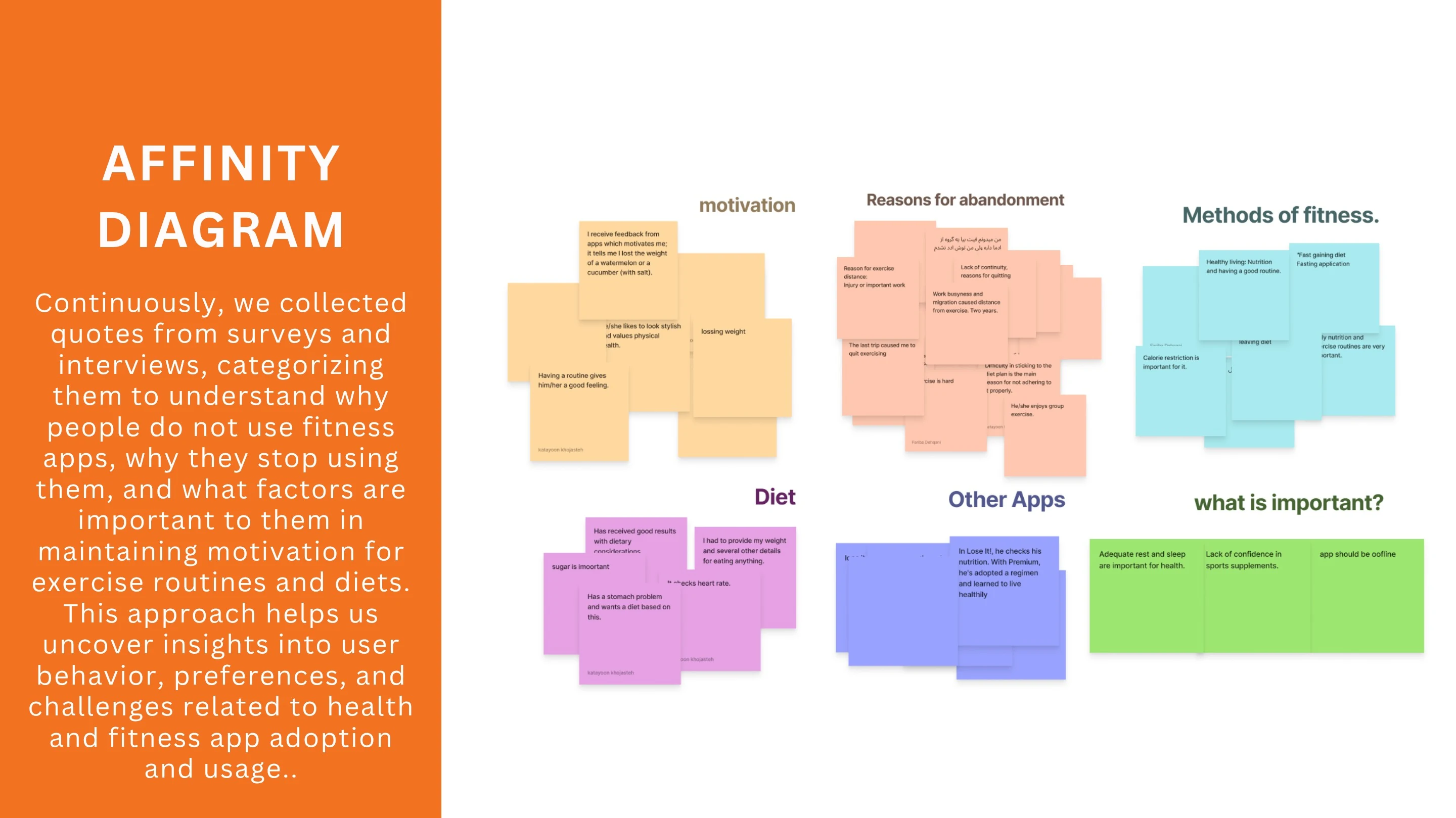
The project presentation documents seven interviews, a 16-question survey with 49 responses and a review of more than ten competitors. The team used an affinity map to organize what they learned.
The reported themes included repetitive or irrelevant app content, the need to balance fitness with nutrition and sleep, and the value of motivating feedback. These themes shaped a concept that connects daily guidance with visible progress.
03 / EXPLORING THE CONCEPT
A companion for the health journey
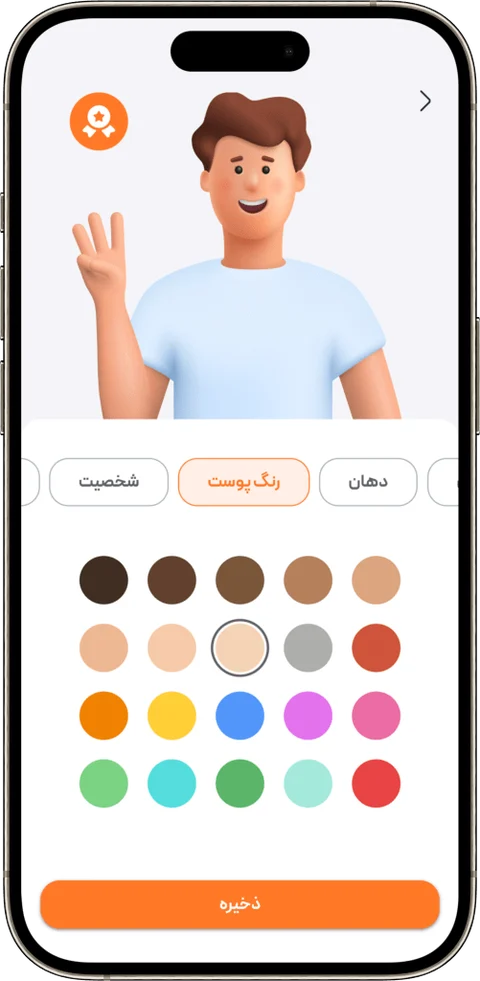
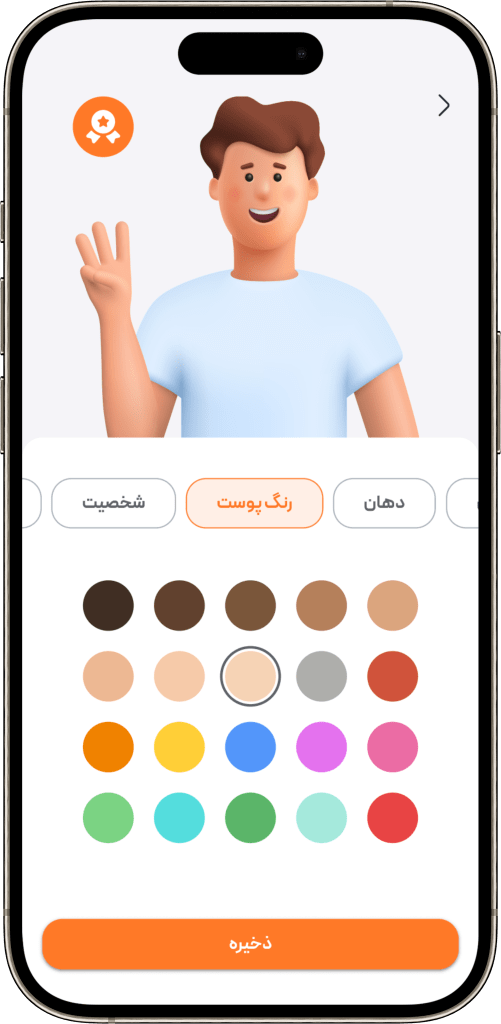
Crazy 8s exercises and sketches led to the idea of a customizable companion avatar. The concept places that personal element alongside practical tools: expert plans, progress widgets and daily health information.
04 / STRUCTURE AND PROTOTYPING
Making the core tasks work together
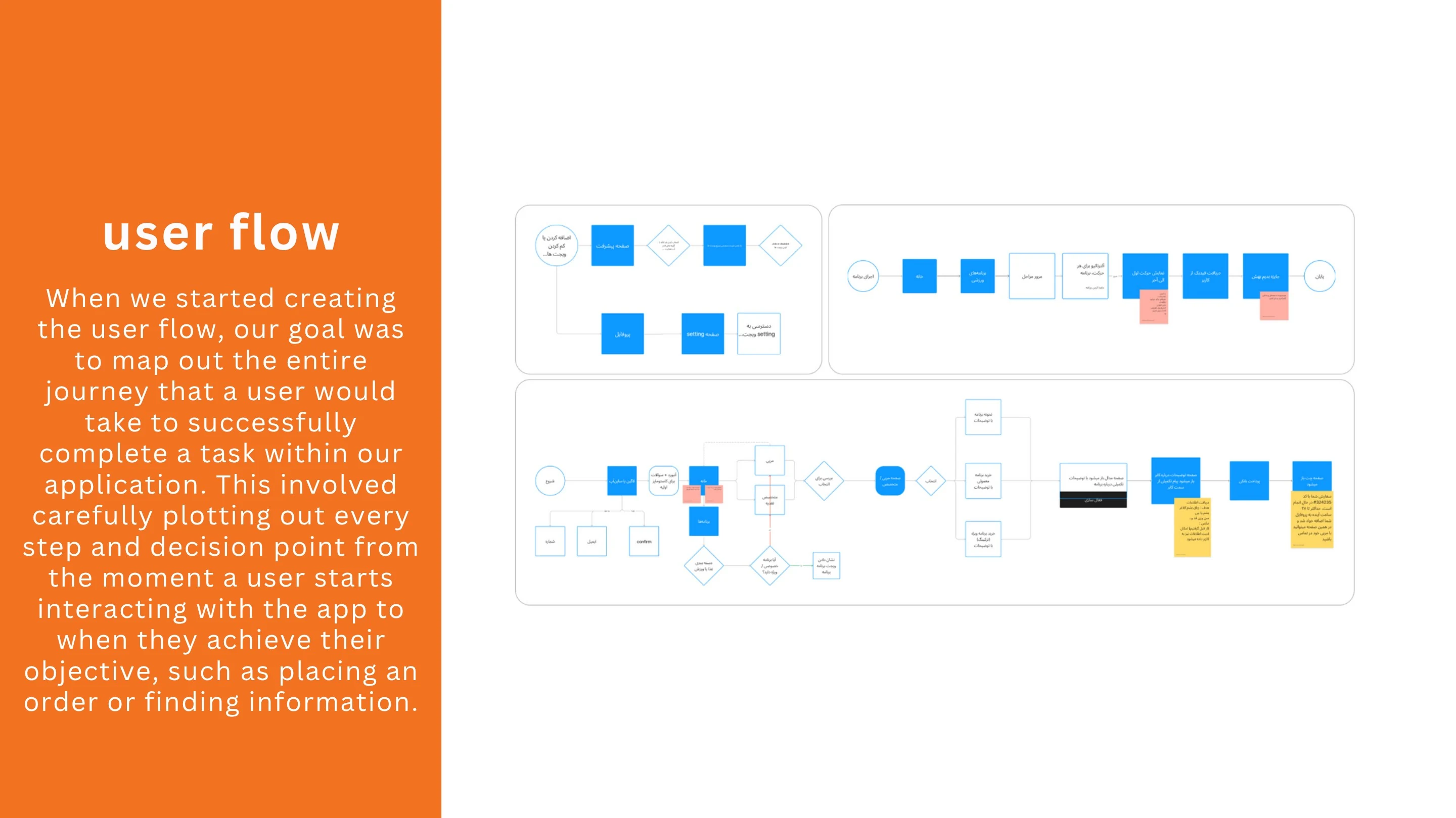
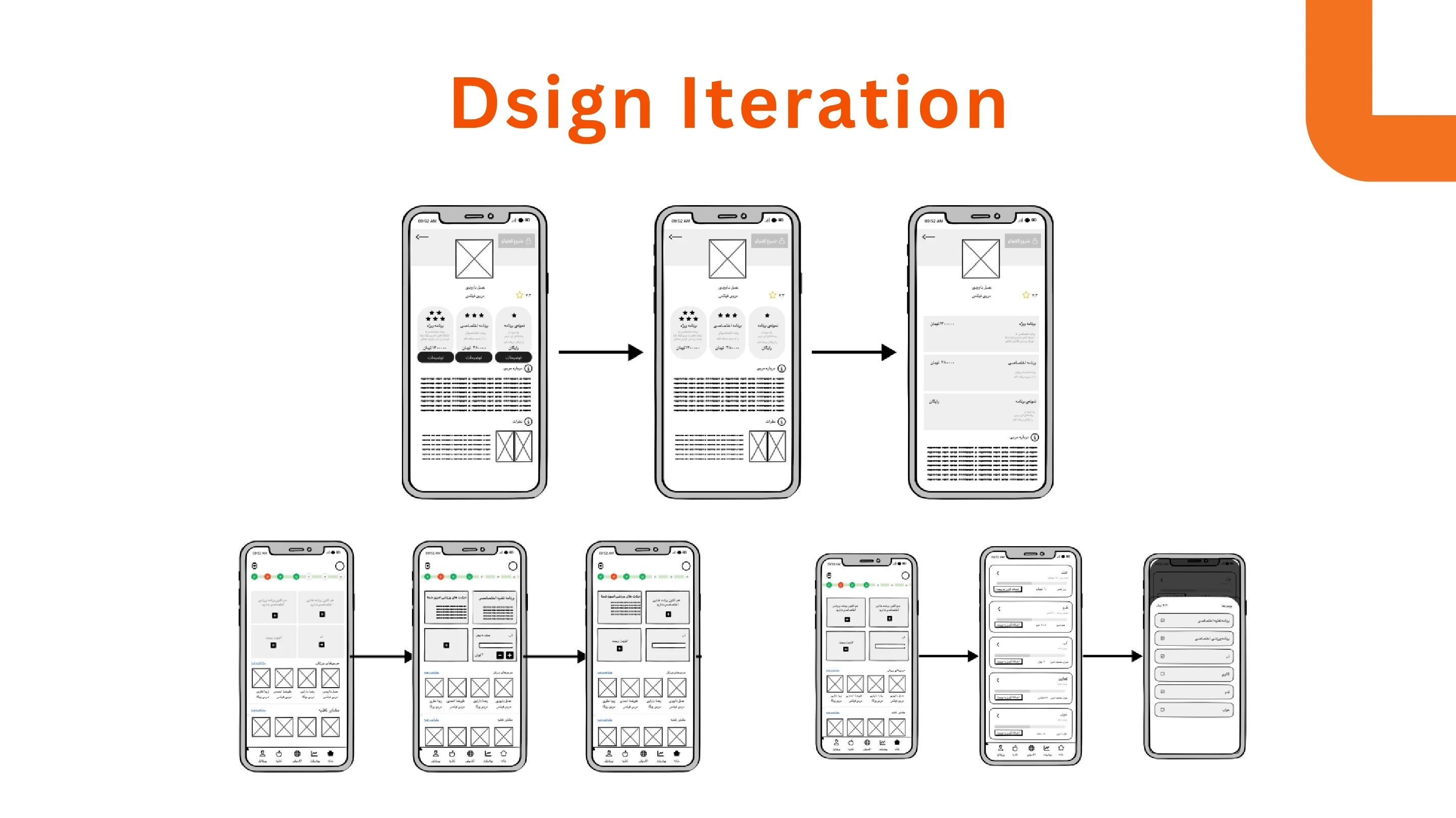
The team mapped user flows and evaluated low-fidelity designs around five core tasks. The portfolio describes revising the information architecture after that evaluation, before developing the final interface.
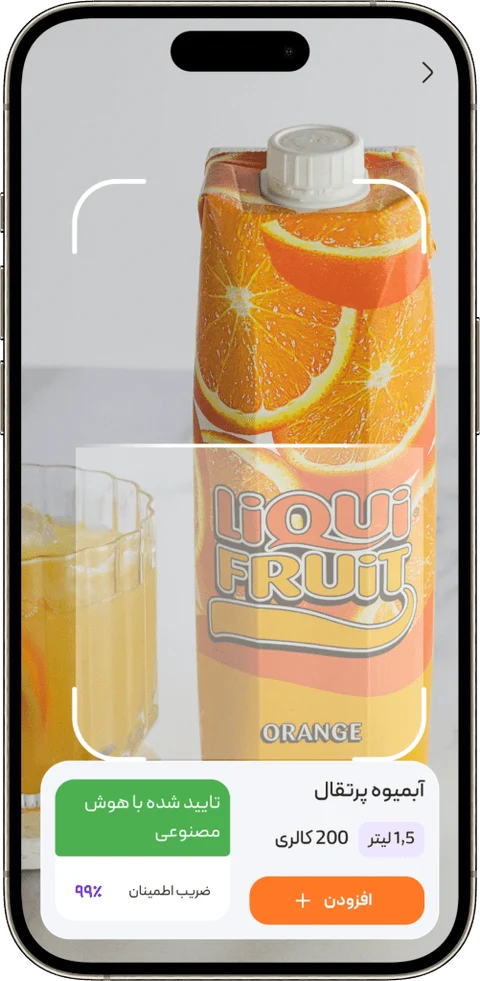
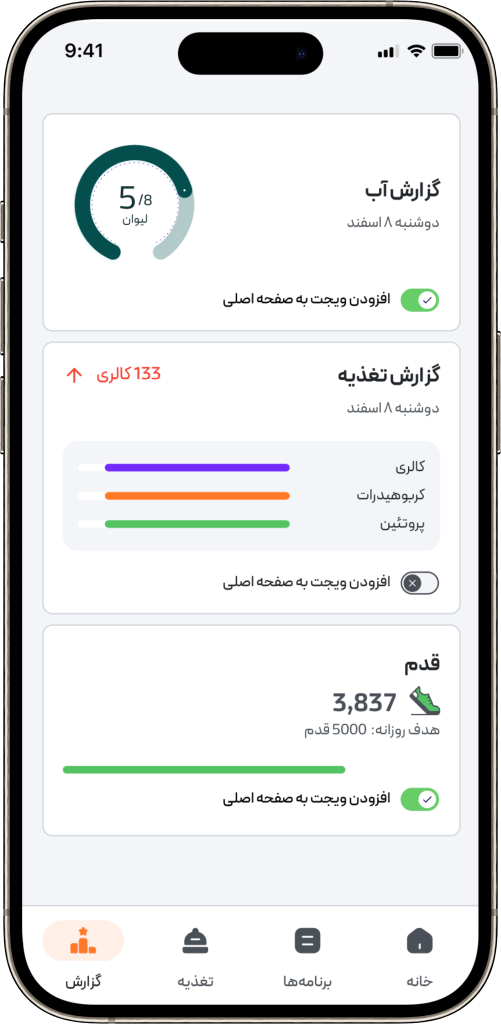
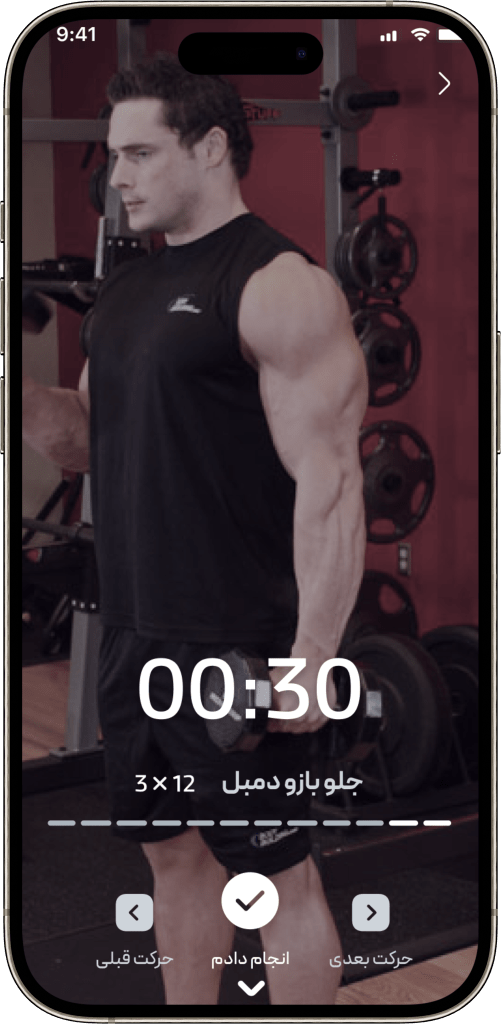
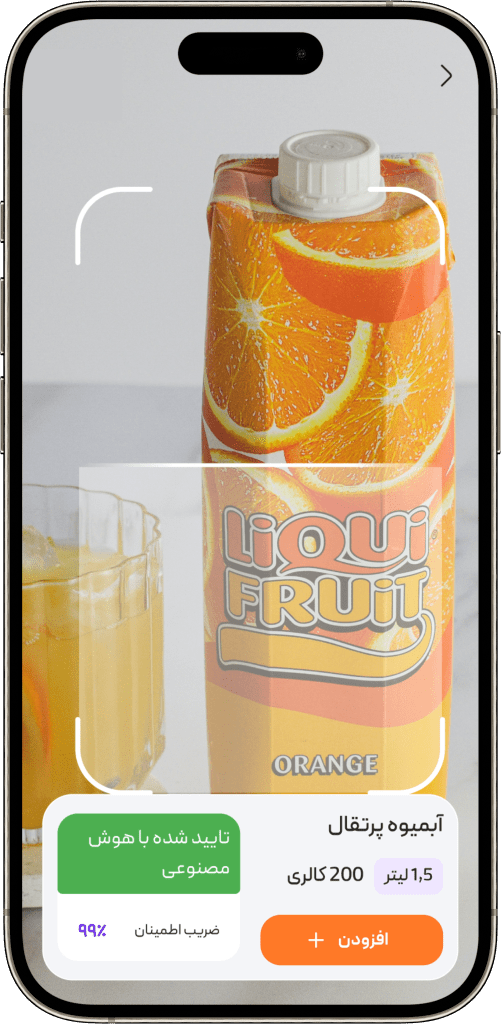
A customized Material Design 3 system supported the visual design. The final screens cover expert-guided plans, an exercise timer, nutrition reports and product scanning.
05 / ITERATION
A clearer route to a training plan
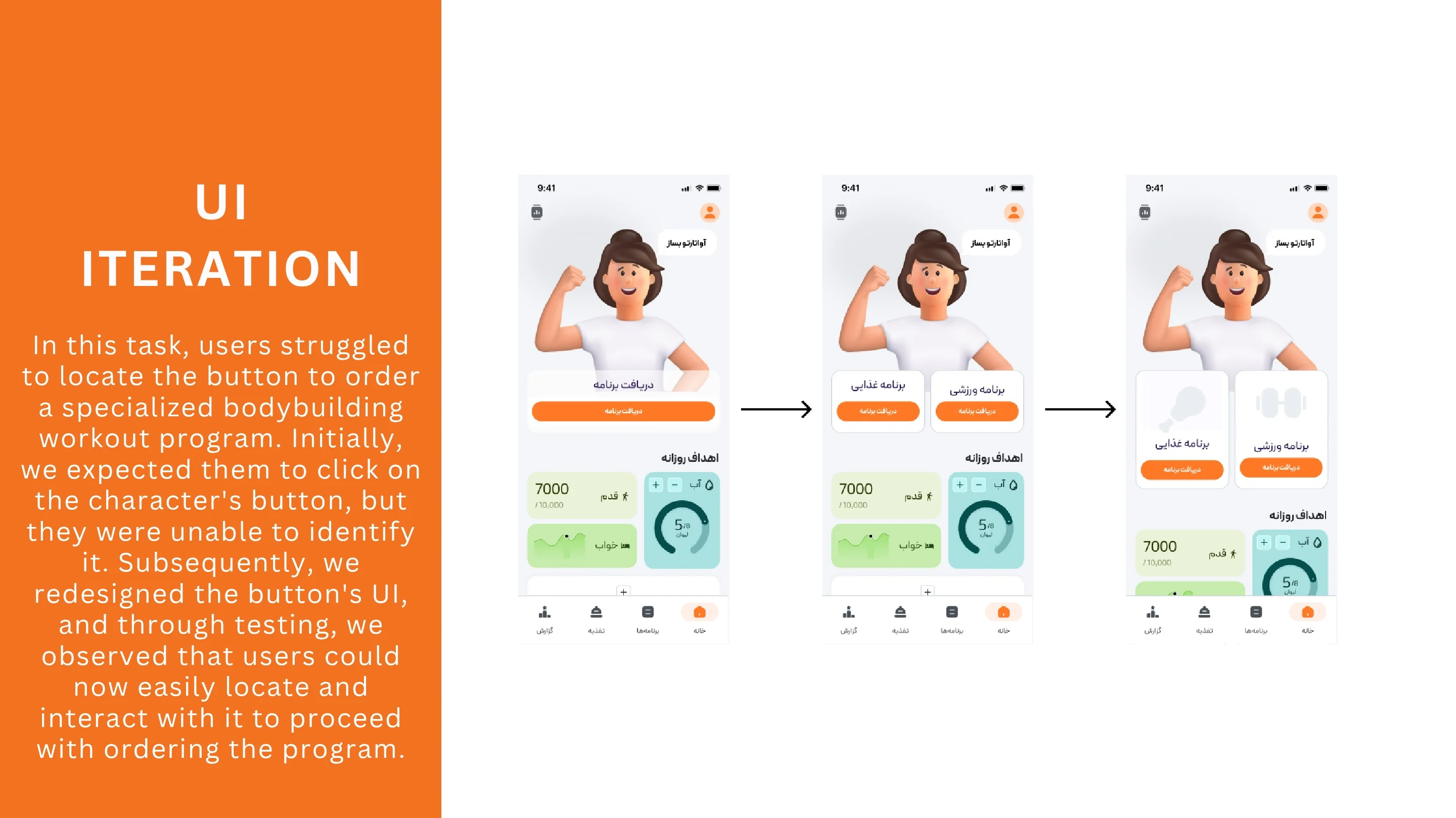
During interface testing, participants struggled to find the specialized bodybuilding-program order through the avatar button. The team redesigned the call to action to make that route easier to discover.
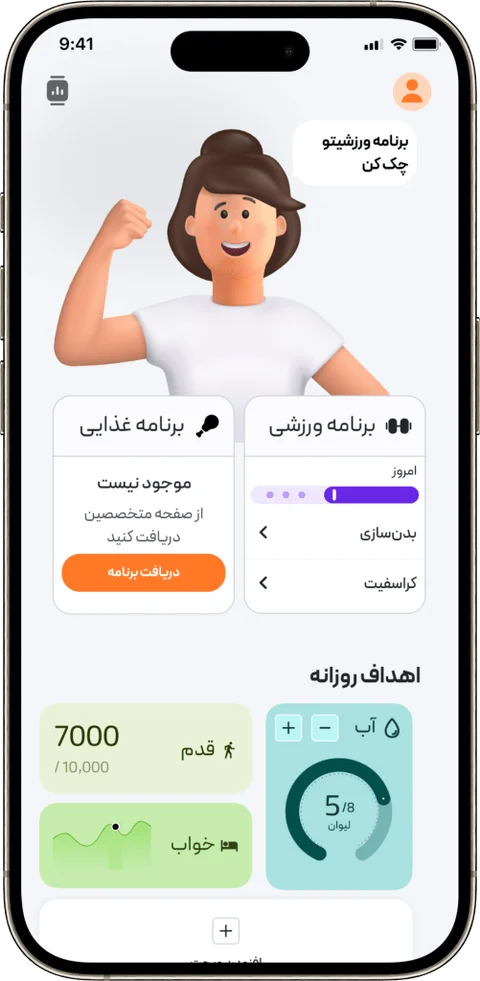
The revised screen separates nutrition and training into two labelled cards with distinct icons. The portfolio reports easier discovery after the change. The revised call to action became part of the final educational prototype.
THE FINAL INTERFACE
Up close, in detail.
Select any screen to enlarge it.
Original interface language is preserved.
IN MOTION
Follow the flow.
A 2-minute, 6-second screen recording of the prototype. The interface is in Persian.
Read the prototype walkthrough
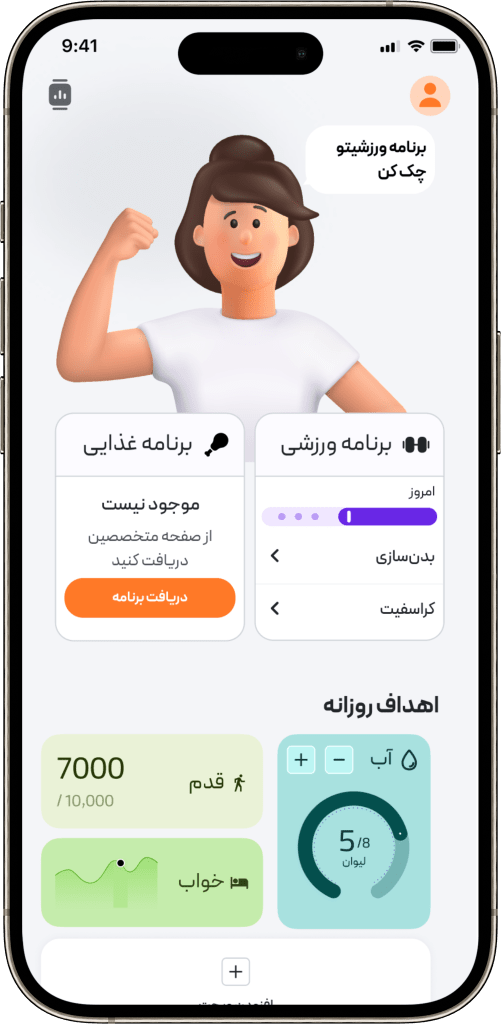
- The personal dashboard combines an avatar with workout and nutrition entry points and daily health widgets.
- Coach selection and plan forms introduce a personalized workout plan.
- A guided exercise view shows the workout video, countdown timer and exercise controls.
- Nutrition reports organize progress and daily figures; a food-scanning screen connects a packaged product with nutrition information.
This describes the visible prototype flow. It does not document a live coaching session or a released service.
PROJECT RESULT
A prototype shaped by iteration.
A tested educational prototype, a revised training-plan call to action and a documented interface system, supported by final screens and a demonstration video.
The original presentation
Explore the full project documentation, process diagrams and visual pages in the original portfolio PDFs.